Claude Code vs Copilot vs Cursor — Which AI Coding Assistant to Choose in 2026?
A comparison of the three best AI programming tools. We examine features, pricing, benchmarks, and help you find the right fit for your project.
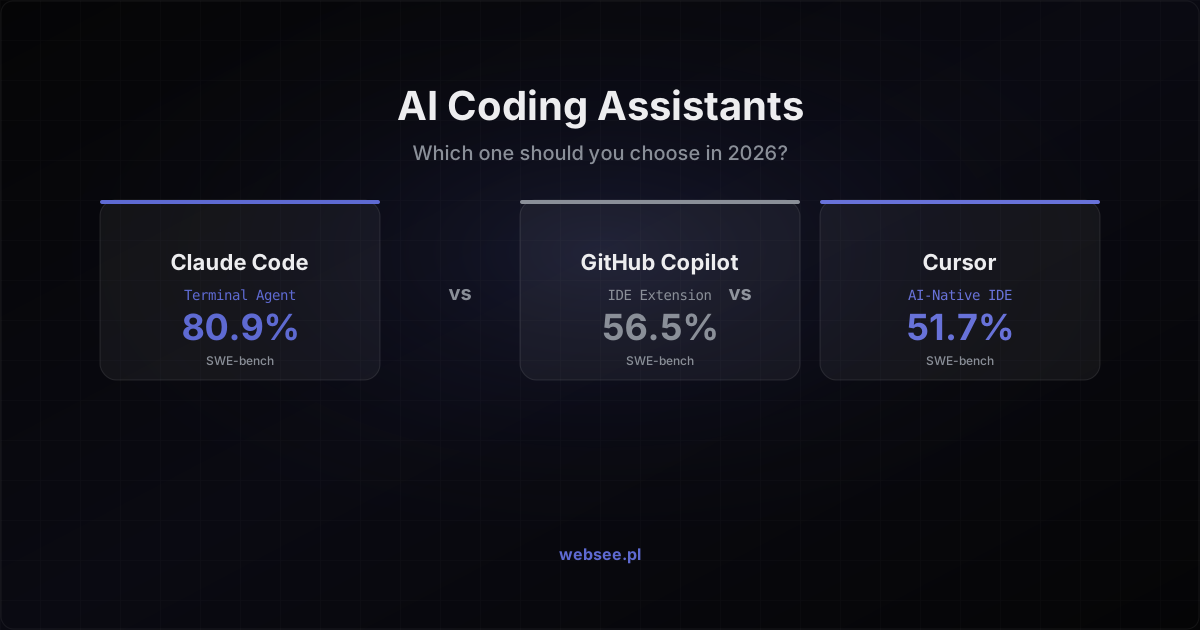
The AI coding tools market has exploded. In 2026, three players dominate the scene: Claude Code by Anthropic, GitHub Copilot by Microsoft, and Cursor — a VS Code fork with AI at its core. Each tool represents a fundamentally different approach to how artificial intelligence should help developers.
We tested all three on real projects. Here's what we found.
Three philosophies, three approaches
Before diving into details, it's worth understanding the fundamental difference between these tools. It's not about "which is better" — each solves a different problem.
Claude Code is a terminal agent. It operates at the system level, reads the entire codebase, runs tests, and commits changes. Think of it as a junior developer with terminal access who can independently complete complex tasks.
GitHub Copilot is an IDE extension. It integrates with your editor and the entire GitHub ecosystem — from issues, through PRs, to code review. In 2026, it gained an agent mode, but its strength lies in platform integration.
Cursor is an IDE with AI built into its DNA. A VS Code fork that treats AI not as an add-on but as a core experience. It understands the entire project, suggests edits in context, and works fast.
Feature comparison
Code understanding
Claude Code leads clearly here. With a context window of up to one million tokens, it can analyze an entire large project at once. Cursor does this well within the IDE, indexing the repository on open. Copilot has improved significantly with agent mode but still works best with individual files and local changes.
Agent mode
All three tools now have an agent mode, but they differ in scope of autonomy:
- Claude Code — full autonomy. It can run test suites, see what failed, fix the code, and iterate without user intervention. It operates at the terminal level, having access to everything a developer has.
- Copilot Agent Mode — creates an isolated environment via GitHub Actions, pushes commits to a draft PR. Great for automating the issues → PR workflow.
- Cursor — an agent within the IDE. It proposes changes across multiple files but requires approval. A more controlled approach.
Integrations
Copilot wins on GitHub ecosystem integration — issues, PRs, code review, Actions. For teams on GitHub, it's the natural choice.
Claude Code leverages the Model Context Protocol (MCP) — an open standard for connecting AI to external tools. Through MCP, you can connect it to Jira, Slack, Google Drive, or any custom API.
Cursor supports MCP and has built-in integrations with terminal, browser, and developer tools.
Benchmarks — hard numbers
On SWE-bench Verified (the standard benchmark for solving bugs in real repositories):
| Tool | SWE-bench Verified | Avg. time |
| Claude Code | 80.9% | — |
| Copilot | 56.5% | 89.9s |
| Cursor | 51.7% | 63.0s |
Claude Code has the highest score, but context matters — SWE-bench Verified was retired in February 2026 due to data contamination. On the new SWE-bench Pro, top models score around 23%, which better reflects real programming complexity.
Key takeaway: the same model (e.g., Claude Opus) achieves different scores depending on the agent running it. The tool matters, not just the model.
Pricing
| Tool | Plan | Price |
| Cursor | Pro | $20/mo |
| Cursor | Business | $40/user/mo |
| Copilot | Individual | $10/mo |
| Copilot | Business | $19/user/mo |
| Copilot | Enterprise | $39/user/mo |
| Claude Code | API (pay-per-use) | ~$50-150/mo* |
*Claude Code costs depend on usage. For intensive work on a large project, it can exceed $100/month. For smaller projects — $30-50.
Which one should you choose?
Choose Claude Code if:
- You work on complex, multi-file refactors
- You want maximum output quality
- You're an experienced developer who knows what to expect
- You prefer working with the terminal
Choose Copilot if:
- Your team is on GitHub and you want native integration
- You need compliance and auditing (Enterprise)
- You want predictable per-user costs
- You prefer minimal workflow changes
Choose Cursor if:
- You're looking for the best daily driver for everyday coding
- You value speed and workflow fluidity in the IDE
- You want to bring your VS Code extensions
- You care about the price-quality balance
What this looks like in practice — Websee's experience
Websee has 20 years of IT experience — from classic web applications, through cloud infrastructure, to today's AI solutions. We've been through the full transformation and know firsthand what the shift from traditional development to AI-assisted work looks like.
Today, we automate practically everything with AI. Claude Code writes entire modules for us based on specifications. Cursor accelerates everyday work — code review, refactoring, writing tests. Copilot turns issues into draft PRs before a developer even opens the editor.
The result? This very website you're reading — from design, through code, CMS, SEO, to deployment — was built with Claude Code. Not as an experiment, but as a standard production workflow.
The key lesson from our 20 years: tools change, but the principle stays the same — whoever adapts the best available solutions fastest, wins. In 2006, it was jQuery. In 2016, React. In 2026, it's AI coding assistants.
Our recommendation
At Websee, we use Claude Code for complex architectural tasks and refactoring, and Cursor for everyday coding. These aren't competitors — they're complementary tools. 46% of developers in 2026 use an average of 2.3 AI tools simultaneously.
The biggest mistake you can make? Not using any. AI coding tools in 2026 aren't a gimmick — they're a competitive advantage. Companies that adopted them report a 30-50% productivity increase in programming tasks.
If you're considering implementing AI tools for your development team or want to automate processes in your company — let's talk. We have 20 years of experience and will help you select the right stack.